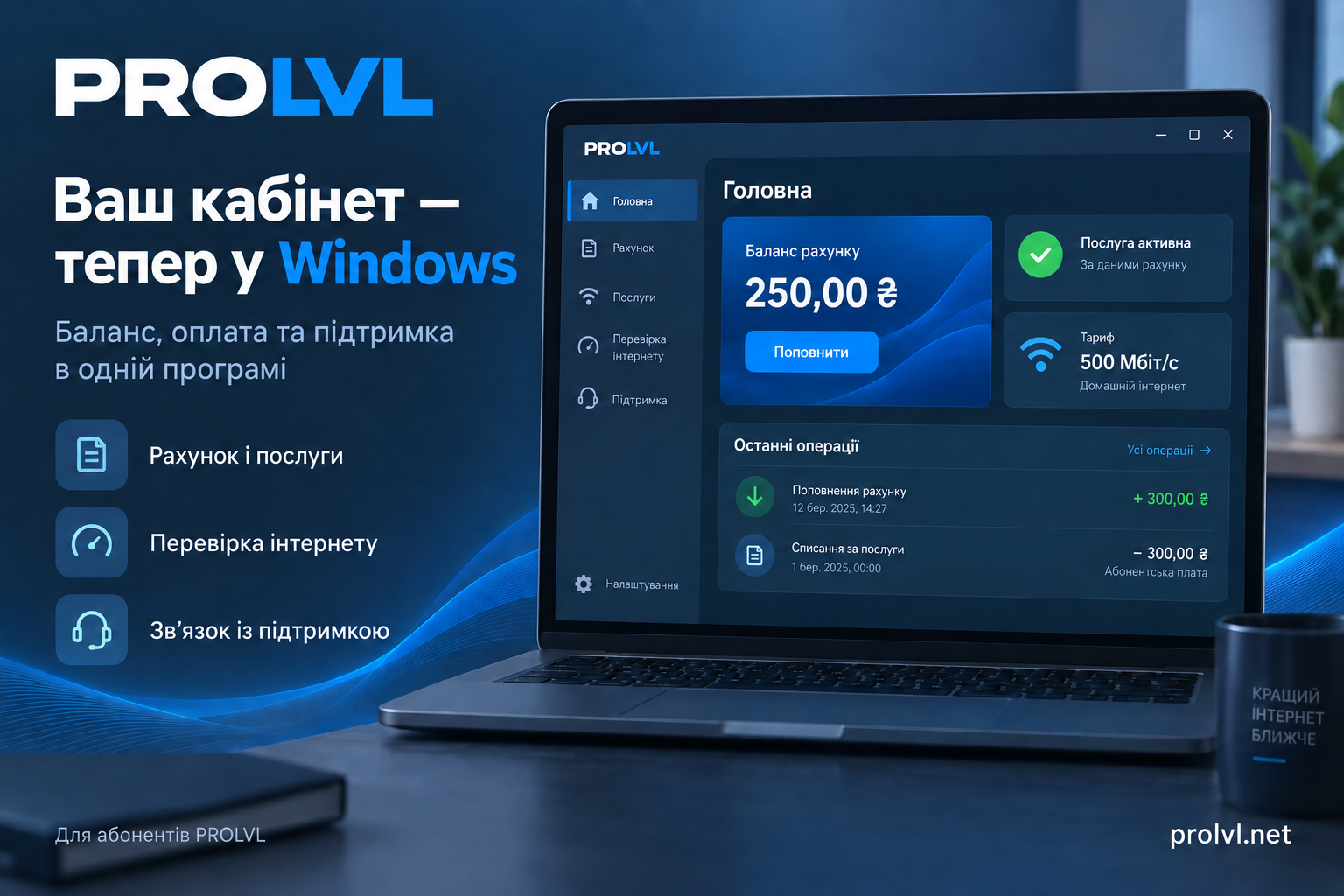
Your balance, payments, services and support are now available in a dedicated desktop app. Meet PROLVL Cabinet for Windows!
Account and payments
See your balance, plan, monthly fee and service status from your account. The next charge date is shown when supplied by the billing system. Open payment options and review top-ups and charges.
Plans and services
View subscriptions and manage available options, including plan changes, credit, service suspension, a public IP address and Turbo. Availability and prices depend on your account and plan.
Check your connection
Start with the connection check for practical next steps. Tools include speed tests, Wi-Fi signal readings when supported by Windows and your adapter, network link speed, latency, missed responses and stability checks. Compare past results and review a diagnostic report before adding it to a support request. Link speed to your router and internet speed are separate measurements.
Support within reach
Create tickets, read replies and continue conversations in the app. Remote assistance through RustDesk is available by arrangement with support and requires your approval. End the session in RustDesk.
Make it yours
Choose a light or dark theme, text size, notifications and quiet hours. A compact window, system tray access and optional Windows startup are available. View your subscriber details and public agreement, recover account access or check for updates.
Get started
- Download the installer.
- Choose the installation folder, shortcut and startup options.
- Sign in with your existing PROLVL account credentials.
Account updates, payments and support conversations require access to the relevant online services. Local help remains available offline.
Try the app and share your feedback through Support.